Everything you'd expect from a desktop editor. None of the desktop.
PhotoFresco is a serious raster editor, not a toy with filters. Open a 50-layer PSD and get to work.
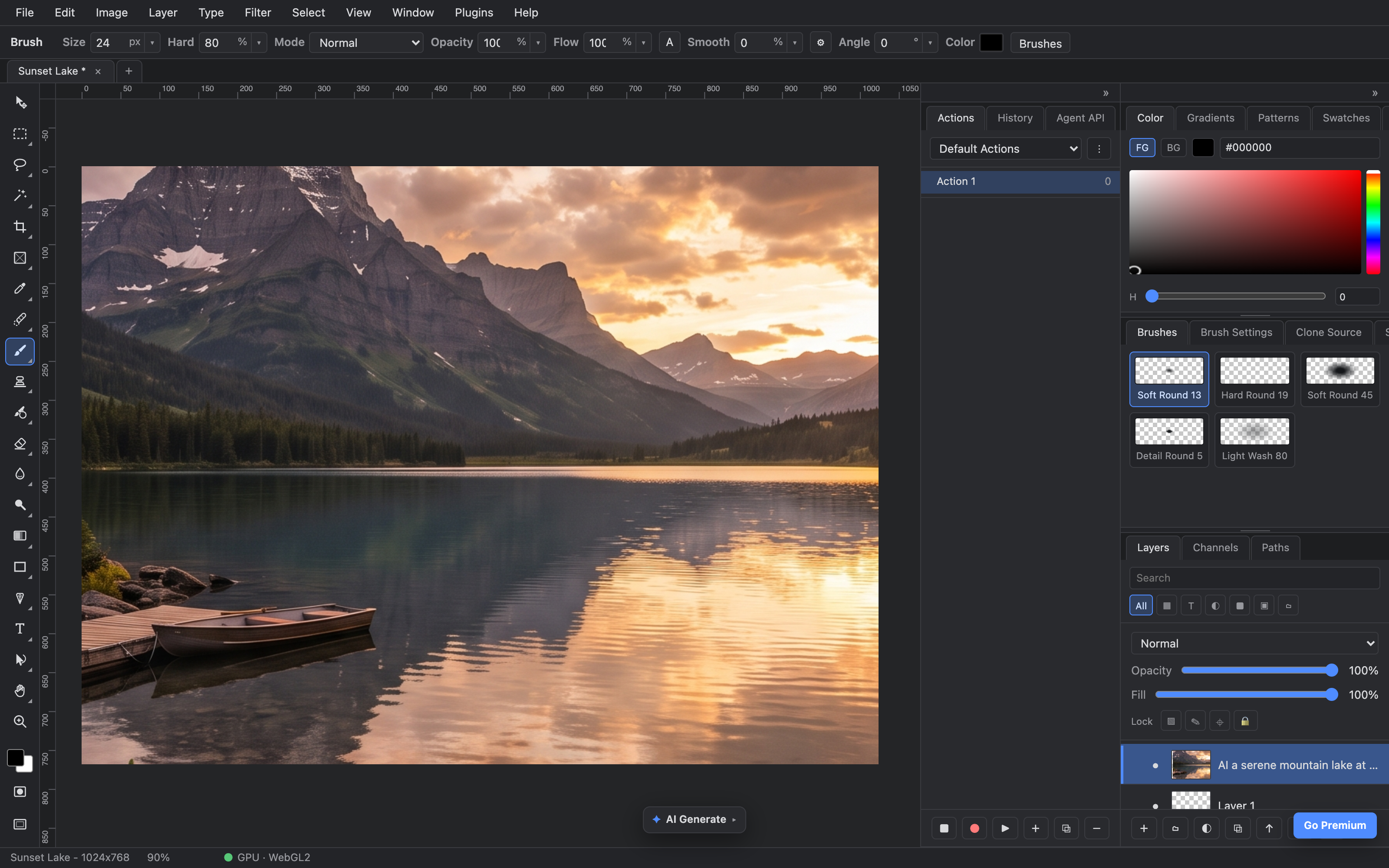
brushes · color · blend modes · layers — the real panels
Pro-grade editing, zero install
The full pipeline you know: selections, masks, brushes, filters and free transform — with blend math that matches Adobe Photoshop's, down to 8-bit sRGB semantics.
- ✓Layers & masks with groups, blend modes, opacity and fill
- ✓Brushes, selections & wand — marquee, lasso, magic wand, soft round to light wash
- ✓PSD in, PSD out — open your existing files, save back losslessly
- ✓Fast on big documents — tiled rendering and a GPU compositor keep 4K canvases fluid

prompt → pick a model → it lands as a layer
Generate images without leaving the canvas
Type a prompt, pick a model, and the result drops straight into your document as a new layer — ready to mask, blend and paint over like anything else.
- ✓Multiple models — Nano Banana, Nano Banana 2, Nano Banana Pro — with costs shown up front
- ✓Compare models on the same prompt and keep the take you like
- ✓Results are layers, not downloads — fully editable, fully undoable
- ✓Batch generation when one option isn't enough
what actually leaves your device while you edit
Your files never leave your device
PhotoFresco isn't a cloud editor with a thin client — the whole editor runs on your hardware. Your photos are opened, rendered and saved locally.
- ✓Client-side everything — editing is processed by your own machine, not our servers
- ✓No account required to open, edit and save your work
- ✓Works offline once loaded — on a plane, on set, anywhere
- ✓NDA-friendly — client work stays on the machine it was opened on
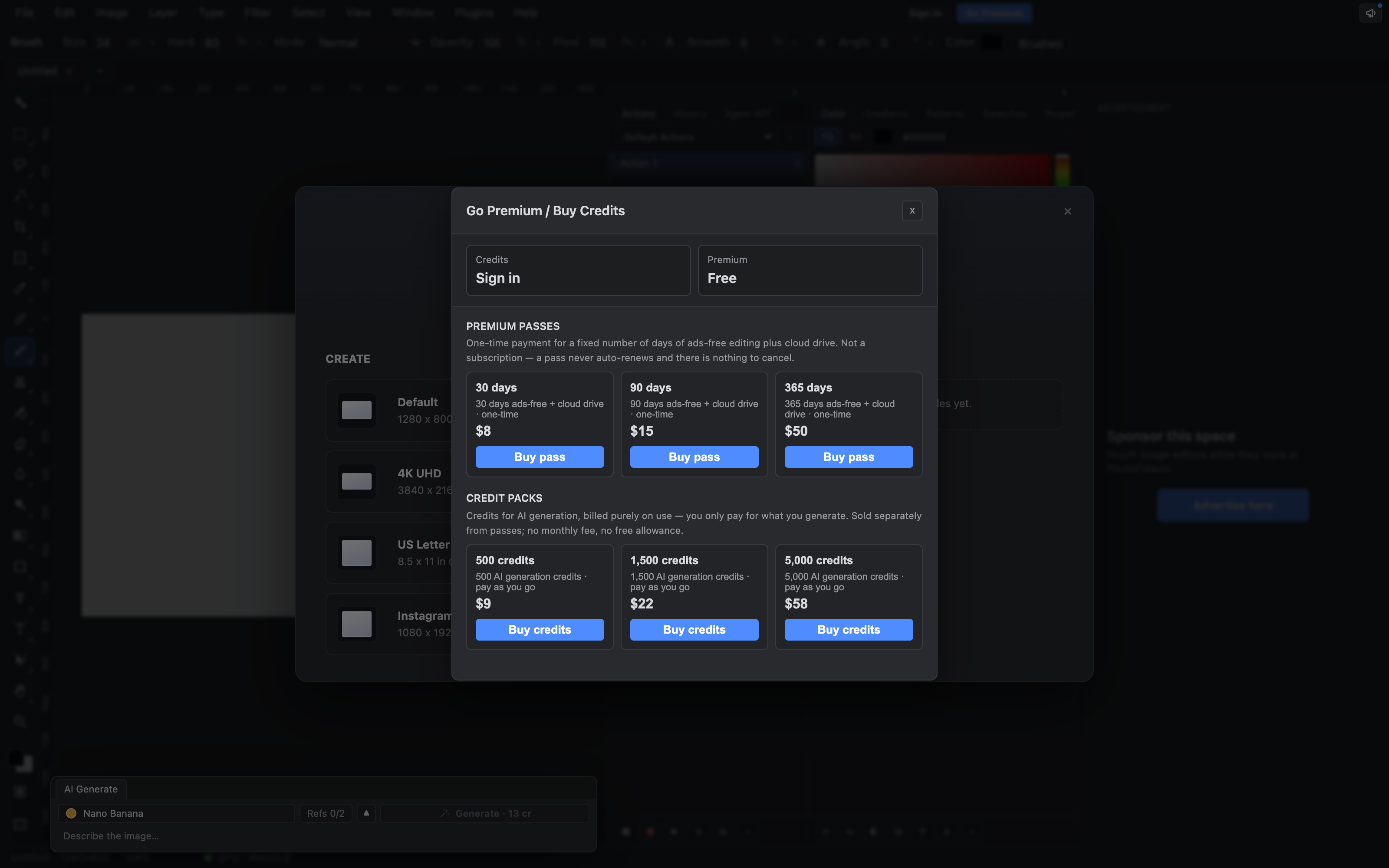
ad-free & credit packs — inside the editor, cancel in one click
Free core, ad-free when you want it
The editor is free forever, including local files. Going ad-free is a small monthly subscription that also adds cloud drive — it auto-renews until you cancel, and canceling is one click in your account, effective at the end of the period you paid for.
- ✓Free forever — full editor + local drive, funded by unobtrusive ads
- ✓Ad-free from $8/month — removes ads, adds cloud drive, cancel anytime
- ✓AI credit packs from $9, one-time — spend them across every model
Honest auto-renewal. The subscription renews monthly until you cancel — no retention tricks, just a cancel button in your account. And your files are never held hostage: if a plan ends, cloud documents stay read-only and downloadable, forever.
AI credits are separate and optional: buy a one-time pack when you want AI generation and pay per use — credits are never a subscription. They are not included in ad-free and there is no free allowance.