Everything you'd expect from a desktop editor. None of the desktop.
PhotoFresco is a serious raster editor, not a toy with filters. Open a 50-layer PSD and get to work.
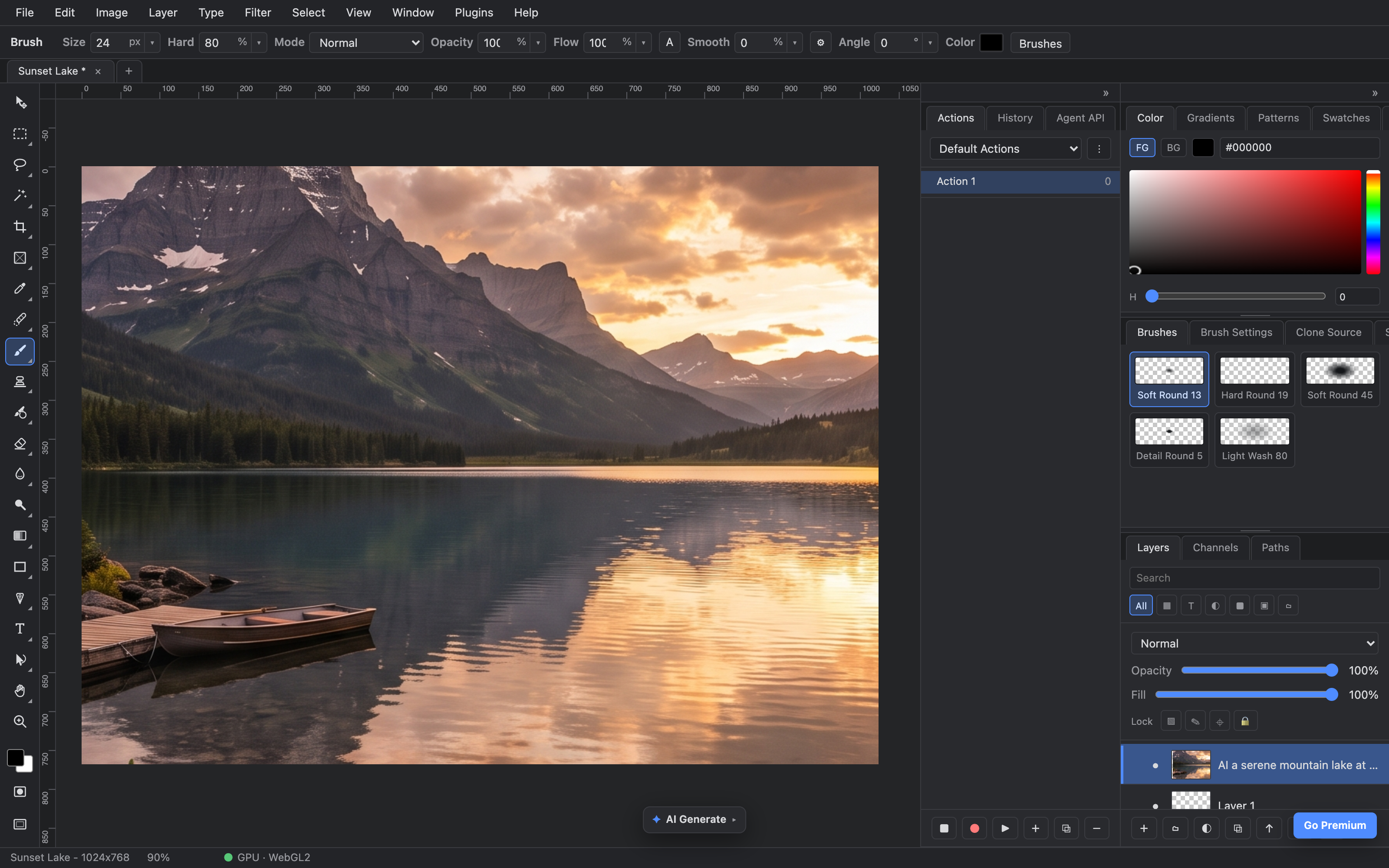
brushes · color · blend modes · layers — the real panels
Pro-grade editing, zero install
The full pipeline you know: selections, masks, brushes, filters and free transform — with blend math that matches Adobe Photoshop's, down to 8-bit sRGB semantics.
- ✓Layers & masks with groups, blend modes, opacity and fill
- ✓Brushes, selections & wand — marquee, lasso, magic wand, soft round to light wash
- ✓PSD in, PSD out — open your existing files, save back losslessly
- ✓Fast on big documents — tiled rendering and a GPU compositor keep 4K canvases fluid
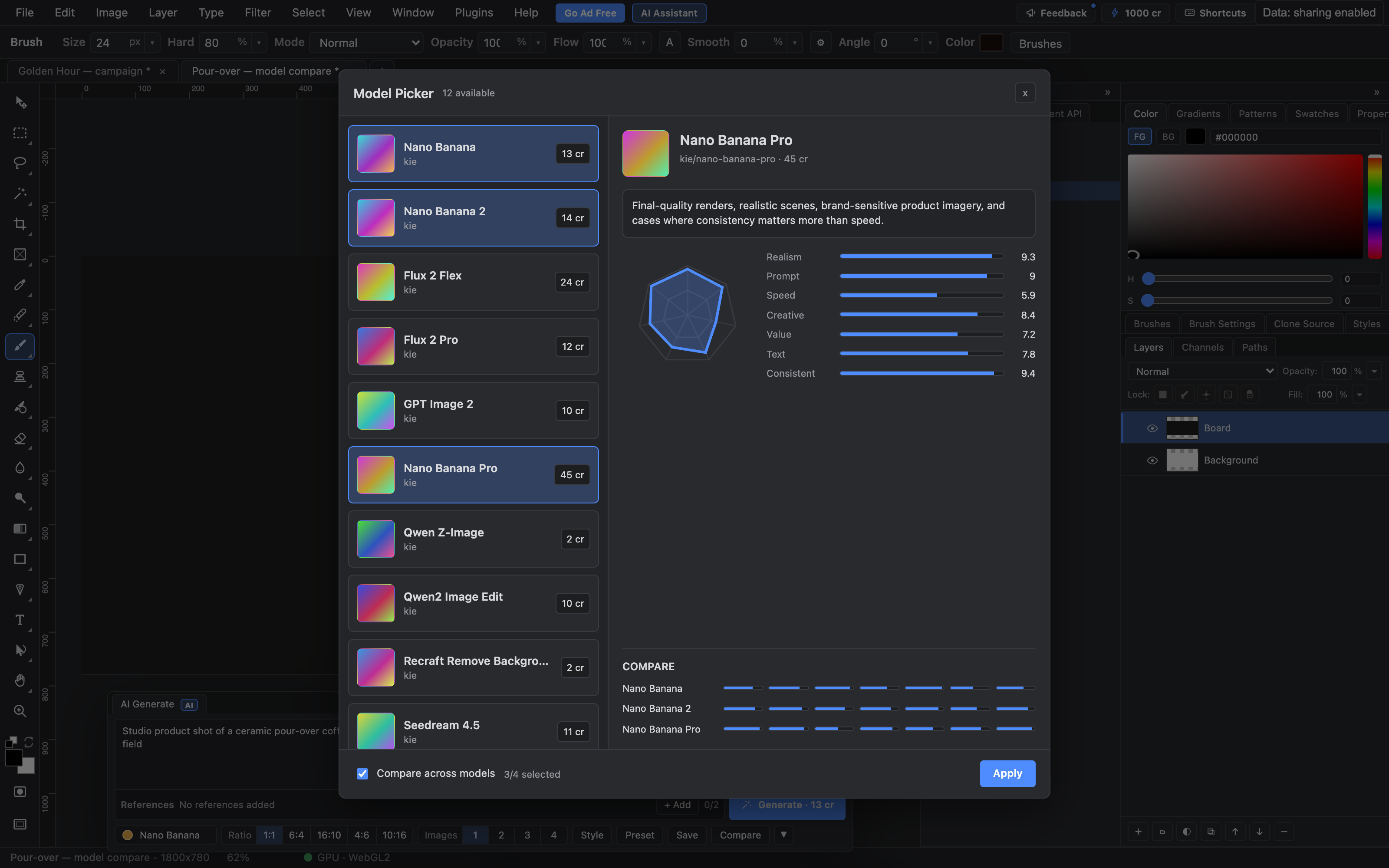
pick models → compare → it lands as a layer
Generate images without leaving the canvas
Type a prompt, pick a model, and the result drops straight into your document as a new layer — ready to mask, blend and paint over like anything else.
- ✓Multiple models — Nano Banana, Nano Banana 2, Nano Banana Pro — with costs shown up front
- ✓Compare models on the same prompt and keep the take you like
- ✓Results are layers, not downloads — fully editable, fully undoable
- ✓Batch generation when one option isn't enough
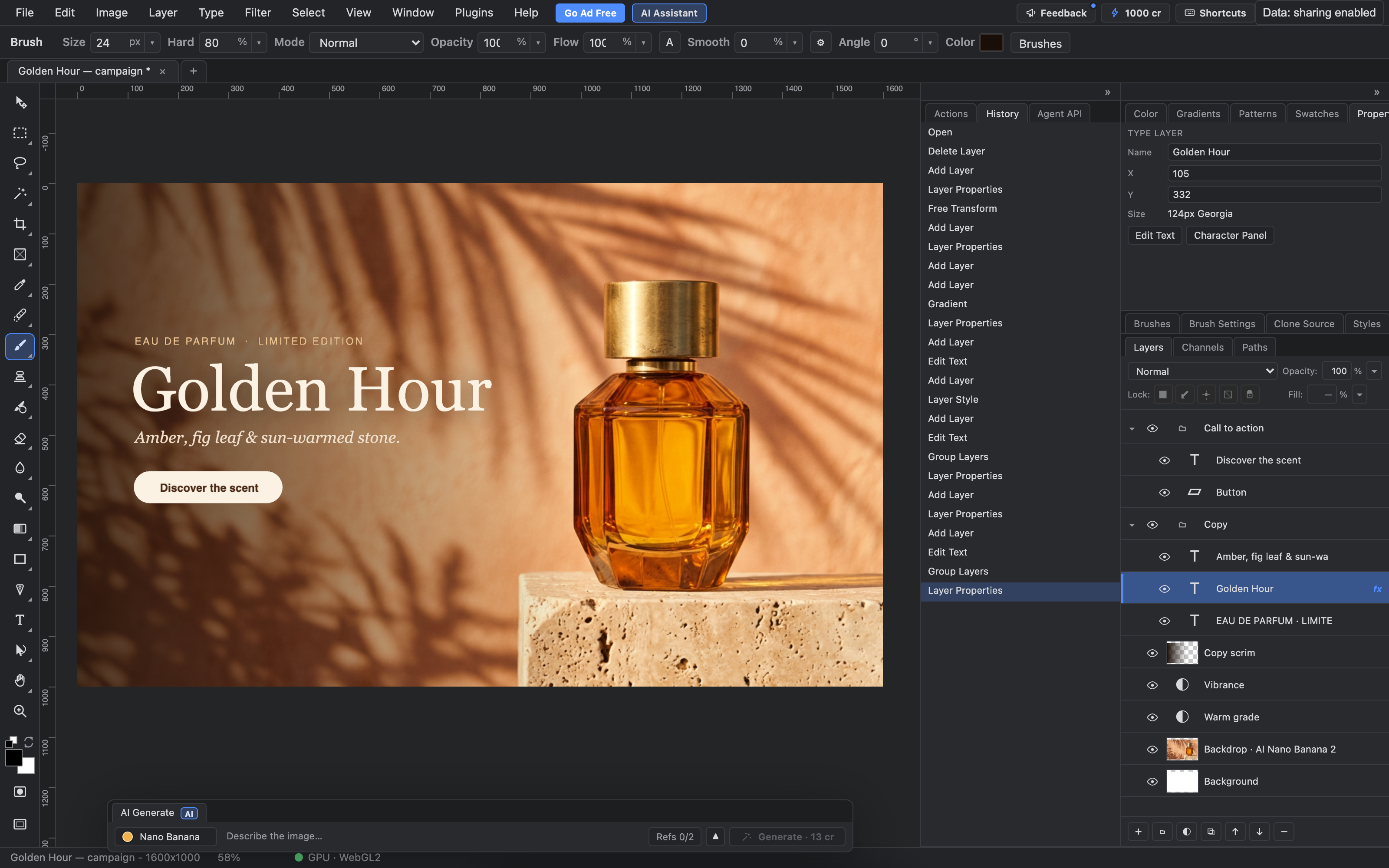
built step by step through the agent operations — every move in History
An editor humans and AI agents share
Every action in PhotoFresco — layers, selections, masks, adjustments, text and layer styles — is a structured operation an AI model can call, running through the same commands as the buttons. An agent can build a layered design step by step, and you can inspect, undo or refine every move.
- ✓One tool surface — every editing action has a schema an agent can call
- ✓Real layers, real history — agent edits land in History, fully undoable
- ✓Hand it back and forth — let an agent rough it in, then finish the details yourself
- ✓Agent API, MCP and in-app AI assistant — coming soon
Local processing and online diagnostics are separate.
Local editing, cloud when you want it
Editing runs on your device. Session recording sends editing events and copies of opened files to PhotoFresco to improve the editor; AI tools and cloud drive send data only when you use them. Read what we collect.
- ✓On-device editing — layers, brushes, filters and saves run on your own machine; AI generation and cloud storage use our servers
- ✓No account required to open, edit and save your work
- ✓Works offline once loaded — on a plane, on set, anywhere
- ✓Read our privacy details before opening confidential or sensitive material
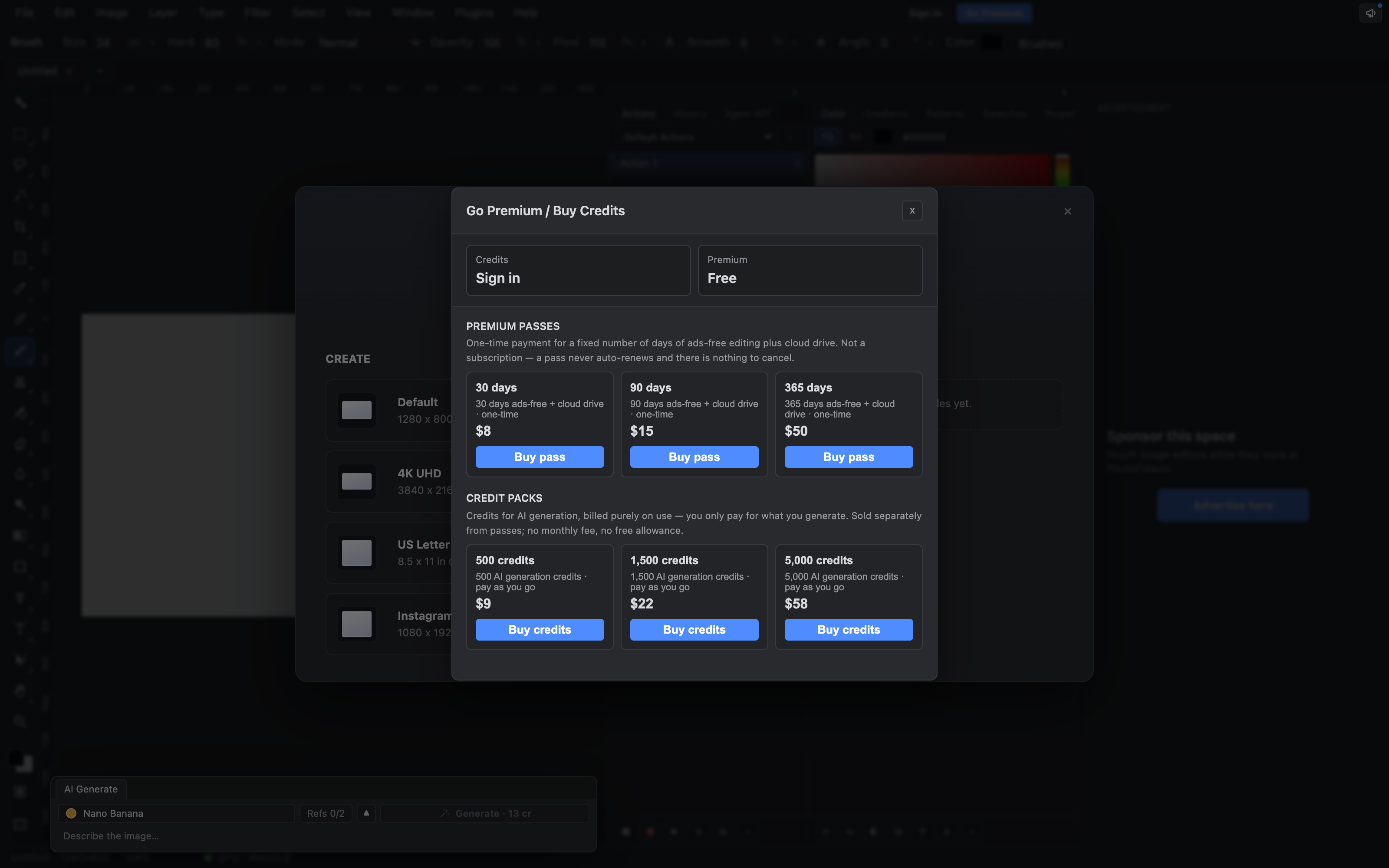
ad-free & credit packs — inside the editor, cancel in one click
Free core, ad-free when you want it
The editor is free forever, including local files. Going ad-free is a small monthly subscription that also adds cloud drive — it auto-renews until you cancel, and canceling is one click in your account, effective at the end of the period you paid for.
- ✓Free forever — full editor + local drive, funded by unobtrusive ads
- ✓Ad-free from $8/month — removes ads, adds cloud drive, cancel anytime
- ✓AI credit packs from $9, one-time — spend them across every model
Honest auto-renewal. The subscription renews monthly until you cancel — no retention tricks, just a cancel button in your account. And your files are never held hostage: if a plan ends, cloud documents stay read-only and downloadable, forever.
AI credits are separate and optional: buy a one-time pack when you want AI generation and pay per use — credits are never a subscription. They are not included in ad-free and there is no free allowance.